Overview
PropFit is a property management platform for teams managing assets, maintenance jobs, scheduling, and automations.
I joined after the product was already live. Since then, I’ve improved the experience in-place: aligning UI patterns, designing for mobile, and shipping usability and performance upgrades in the front-end alongside an evolving codebase.
I joined after the product was already live. Since then, I’ve improved the experience in-place: aligning UI patterns, designing for mobile, and shipping usability and performance upgrades in the front-end alongside an evolving codebase.
My role
- UX/UI design (end to end)
- Interface consistency and system thinking
- Front-end development and performance improvements
- Automation UX and implementation support
- Onboarding flow design
The challenge
PropFit supports complex operations, which means the interface needs to handle many entities and workflows, heavy day-to-day use, and edge cases across teams with different levels of technical comfort.
Over time, that complexity showed up as inconsistent patterns, limited mobile usability, screens that didn’t scale cleanly as features expanded, and slow areas (especially scheduling). Onboarding also relied on high-touch setup.
The goal wasn’t a risky “big redesign”: it was steady improvements that make the product clearer without disrupting a live customer base.
Over time, that complexity showed up as inconsistent patterns, limited mobile usability, screens that didn’t scale cleanly as features expanded, and slow areas (especially scheduling). Onboarding also relied on high-touch setup.
The goal wasn’t a risky “big redesign”: it was steady improvements that make the product clearer without disrupting a live customer base.
Mobile-first usability
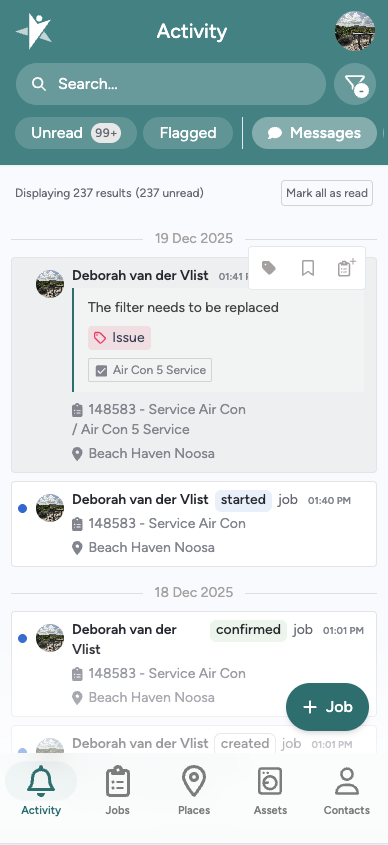
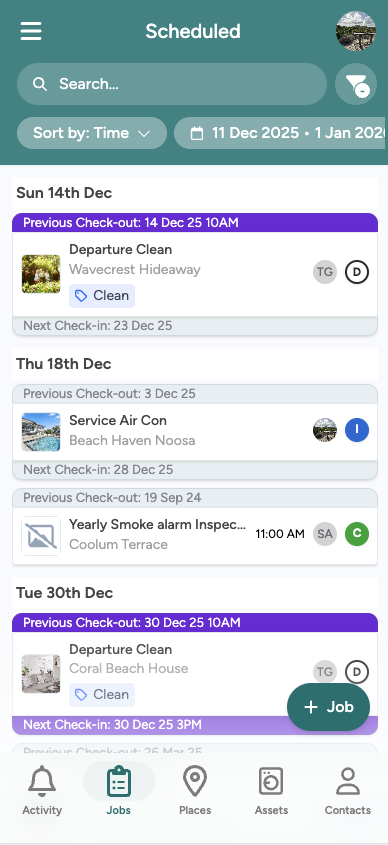
Mobile use wasn’t originally treated as a first-class experience, so I rebuilt key flows to work properly on smaller screens, including navigation, layout, and interaction patterns.
The goal was not “shrinking” desktop screens, but enabling users to complete core tasks quickly and confidently while on-site.
The goal was not “shrinking” desktop screens, but enabling users to complete core tasks quickly and confidently while on-site.
My approach
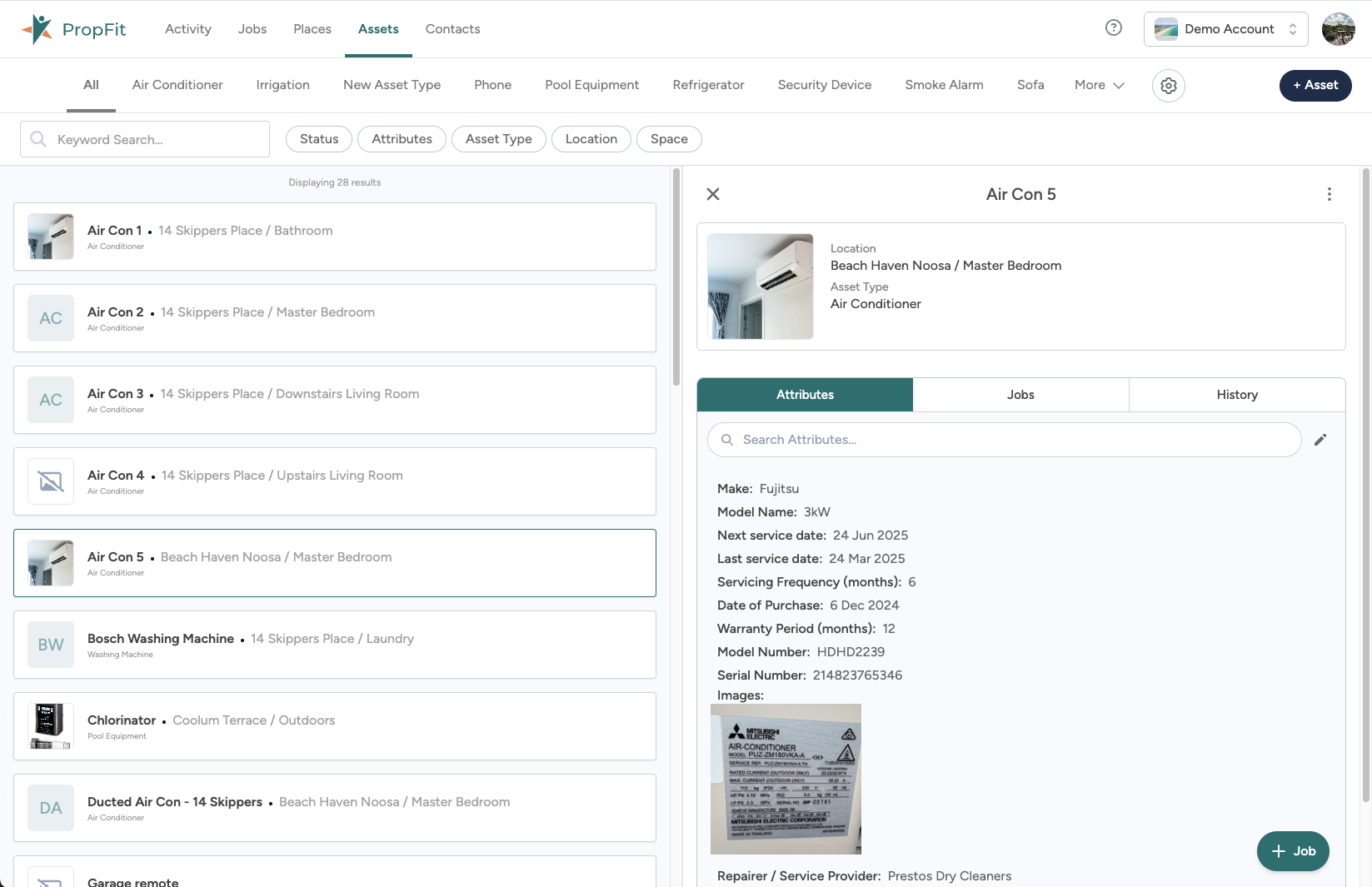
Rather than a single overhaul, I’ve focused on incremental improvements that make the product easier to use and easier to extend.
That means unifying patterns so similar entities behave the same, keeping dense screens readable through stronger hierarchy, and designing changes that fit a real codebase, not a blank canvas.
That means unifying patterns so similar entities behave the same, keeping dense screens readable through stronger hierarchy, and designing changes that fit a real codebase, not a blank canvas.
Scheduling that supports multiple ways of working
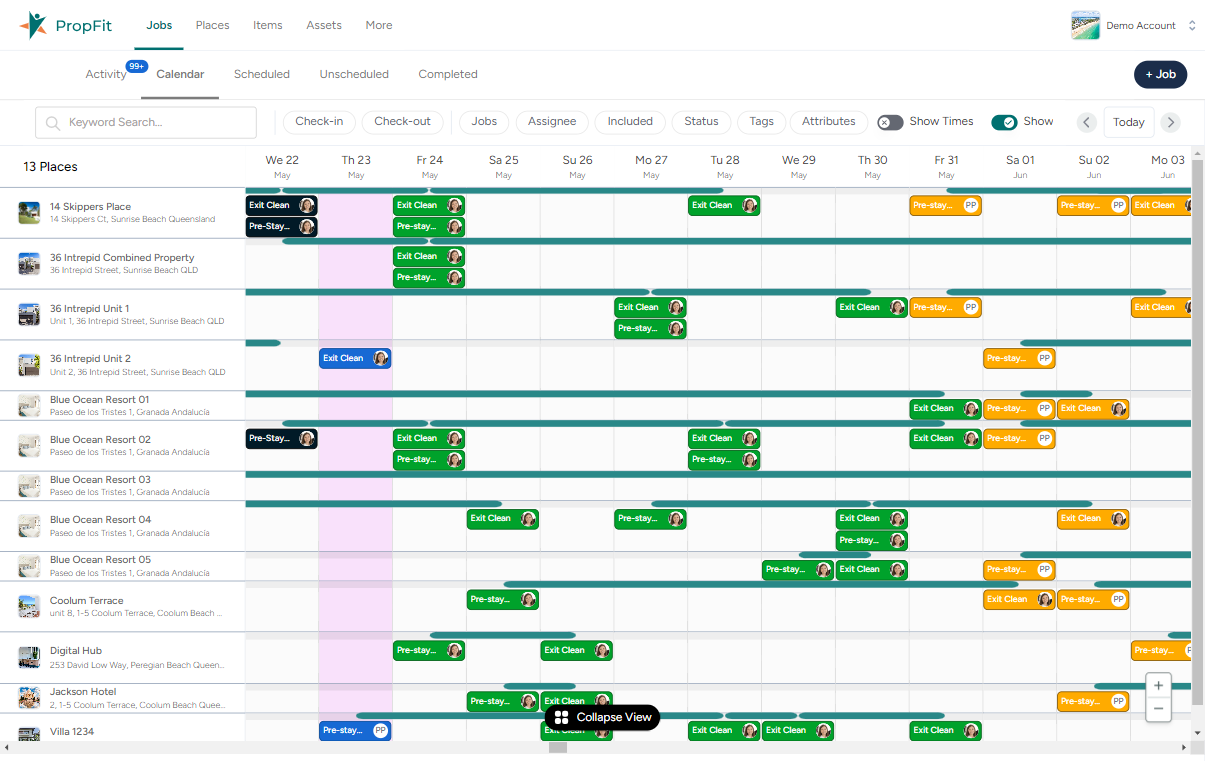
As usage grew, a single calendar view wasn’t enough. I designed and implemented multiple scheduling views so teams can plan at a high level or work operationally, while staying visually and functionally consistent.
Scheduling had also become slow and frustrating at scale. By working directly in the front-end, I improved performance and responsiveness so the calendar became something users could rely on day to day.
Automation that stays understandable
PropFit includes powerful automation features, which can quickly become overwhelming if poorly designed. I worked across UX, front-end, and supporting logic to keep automation behaviour understandable and predictable, flexible without becoming opaque.
The focus was always on helping users trust what the system will do.
The focus was always on helping users trust what the system will do.
Reducing onboarding friction
Onboarding had previously relied heavily on manual setup and support. I designed a guided, conversational flow that takes users through property setup step by step, enabling them to get started independently while still handling complexity behind the scenes.
Results
Over time, these changes have made PropFit more consistent and easier to learn, properly usable on mobile, and faster and more reliable in daily use. Onboarding is less dependent on heavy manual support, and the product is better positioned to scale as features and users grow.
This work is ongoing, improving usability, performance, and clarity as the product evolves.
This work is ongoing, improving usability, performance, and clarity as the product evolves.